April 14, 2026
Five Watchtowers, three ways to break
Watchtower was running on five VMs. Three were crash-looping, one had a mount pointing at a directory, and one was scanning zero containers while reporting success.
I hard-refreshed ce-demo.homelabarr.com and the octopus was still there.
The octopus is the old mascot. Earlier the same day I'd merged the commit that replaced it with a pirate frog placeholder, CI had built a fresh :latest image, and GHCR had it. Every container on that VM is supposed to auto-update, and Watchtower polls every five minutes. The new image had been sitting in the registry for twenty minutes, and yet the frontend was still serving octopus.png.
Watchtower was crash-looping
I shelled into VM 121 and looked at the container list.
watchtower containrrr/watchtower:latest Restarting (1) 29 seconds ago
The logs were a wall of the same line, once a minute, for weeks.
level=error msg="Error response from daemon: client version 1.25 is too old.
Minimum supported API version is 1.40, please upgrade your client to a newer version"
Watchtower's embedded Docker client was negotiating API version 1.25. The host runs Docker 29.3.1, which refuses anything below 1.40. So Watchtower would connect, get rejected by the daemon, exit, and get restarted by Docker, once a minute, for who knows how long.
The fix is one environment variable: DOCKER_API_VERSION=1.45. We'd already found this two days earlier when the same bug hit a web VM, fixed that one, and looked nowhere else.
Two days ago was not enough
I wrote a small compose file for Watchtower with the API version baked in, stopped the crashing container, and started the new one. It came up clean, logged that it was checking all containers, scheduled its next run, and went to sleep.
That should have been the end of it. Then I got curious. If VM 121 had been silently broken for however many weeks, the other Watchtower installs across the fleet were worth a look too.
What the audit found
I have Watchtower running on five VMs: 120 (web-prod), 121 (ce-prod), 122 (ce-staging), 123 (ce-dev), and 124 (web-dev). There's a sixth instance on the standalone Docker host at 195, but that one was set up properly so I left it alone. I SSHed into each VM in turn and asked the same things: was Watchtower running, what was its status, what did the logs say, what were the mounts. None of the four answered the same way.
VM 120 (web-prod): container running, status healthy, logs full of read /config.json: is a directory. The mount source was /root/.docker/config.json. Nothing existed at that path, so when the container was launched Docker created the source as a directory. Watchtower was trying to read a directory as a JSON file and failing. The real Docker config lives at /home/michael/.docker/config.json, a different user's home. The bug was different from 121's but cut from the same cloth.
VMs 122 and 123: both crash-looping with the same API 1.25 error as 121. Two days earlier I'd fixed the one in front of me and moved on, which is, historically, exactly how I handle a bug: fix the one I can see and miss the other three.
VM 124 (web-dev): container running, status healthy, logs clean. And at the bottom of every session, this:
level=info msg="Session done" Failed=0 Scanned=0 Updated=0
Scanned=0. Every five minutes, for weeks, Watchtower on this VM had been reporting success and updating zero containers.
VM 124 runs in label-based opt-in mode. WATCHTOWER_LABEL_ENABLE=true means it only watches containers carrying com.centurylinklabs.watchtower.enable=true. Nothing on that VM had the label. So the scan returned empty, success got logged, and nothing got updated, indefinitely.
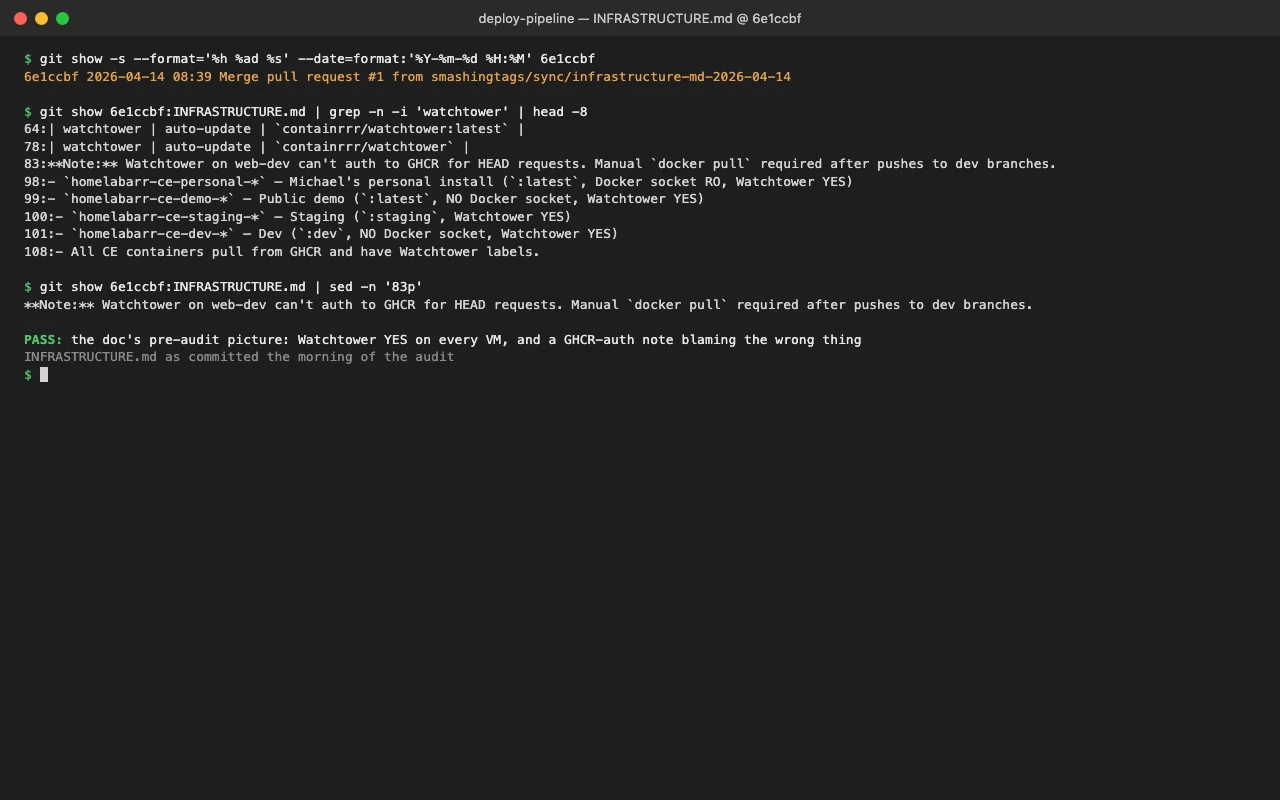
The INFRASTRUCTURE.md note for that VM claimed GHCR auth was broken and manual pulls were required. Wrong. The auth was fine, there was just nothing for Watchtower to authenticate against because there was nothing for it to watch.
Three failure modes
The crash-loop, the bad mount, and the empty scan all look different. Two were loud (restart loops, directory-as-file errors), and the third made no noise at all.
A Watchtower that crashes is debuggable. You see it in docker ps, you see the error in the logs, you know something is wrong. A Watchtower that runs cleanly and updates nothing looks exactly like a Watchtower that runs cleanly and has nothing to update. To notice that zero is wrong you have to already know the expected number of scanned containers, and nobody was tracking that number.
What I changed
All four broken VMs (120, 121, 122, 123) got the same treatment. I wrote /opt/appdata/compose/docker-compose.watchtower.yml on each, with the API version pinned and the mount pointing at a file that actually exists:
services:
  watchtower:
    image: containrrr/watchtower:latest
    container_name: watchtower
    restart: unless-stopped
    environment:
      # Docker 29+ rejects API 1.25. Pin client to a modern version.
      - DOCKER_API_VERSION=1.45
      - WATCHTOWER_CLEANUP=true
      - WATCHTOWER_POLL_INTERVAL=300
      - WATCHTOWER_INCLUDE_STOPPED=false
      - WATCHTOWER_LABEL_ENABLE=false  # global mode — updates every container
    volumes:
      - /var/run/docker.sock:/var/run/docker.sock
      - /home/michael/.docker/config.json:/config.json:ro
I stopped each crashing container, started the compose service, and verified each one came up clean, scheduled a run, and reported non-zero scanned containers on its next cycle.
VM 124 I left alone. The right fix there was a scope decision rather than an infrastructure repair: either flip it to global mode to match the other VMs, or add the watchtower.enable=true label to the dev site containers. I wrote both options into INFRASTRUCTURE.md and left it there for the night.
The seven-line delta
The difference between my mascot update shipping to ce-demo within five minutes and shipping three hours later after a manual docker pull came down to a handful of lines of YAML, one environment variable on a container nobody was monitoring.
I added a fleet-state table to INFRASTRUCTURE.md so the next time someone, me or an agent or a future collaborator, is debugging why a container is not auto-updating, the first thing they read tells them the truth: compose file per VM, mode per VM, and the historical gotchas with their fixes written out: the API 1.25 mismatch, the config.json mount that Docker turned into a directory, and the label-mode scan that silently finds nothing.
The mascot is a pirate frog now, and Watchtower runs on every VM that should have it. I have no idea how long any of those instances had been silently broken. What I'm fairly sure of is that the next one to fail will do it with a log line I can grep for instead of success messages and a zero scan count.