October 12, 2025
HomelabARR vs Unraid vs TrueNAS: which NAS platform should you pick?
Choosing a NAS platform is hard. An honest comparison of HomelabARR against Unraid and TrueNAS — where each wins, and where mine still has gaps.
How I ended up building a third option
I have run homelabs for years. The storage need kept growing, and the platform under it kept being the thing I fought with instead of the thing that helped. Like most people I started with Unraid and TrueNAS. Both are good. Both have a clear philosophy. Neither one felt built for the way I actually use a box at home, which is less "file server" and more "a pile of services that happen to need disks."
TrueNAS is built on ZFS, and ZFS is the strongest answer to data integrity I know of. Checksums, snapshots, the works. The price is rigidity. ZFS wants you to plan your vdevs up front and it does not love mixed drive sizes, so the flexibility a homelab lives on is the flexibility it asks you to give up. Unraid went the other way. Its parity model lets you mix drive sizes and grow one disk at a time, which is exactly why it took over the media-server crowd. What I kept wanting was the drive flexibility of Unraid without the app story feeling like an afterthought bolted on top.
So I built HomelabARR. Not as a marketing exercise, but because I wanted the box I kept describing and nobody was selling it.
What HomelabARR actually is (and the part the old version of this post got wrong)
I want to be precise here, because I have written sloppy versions of this comparison before and they conflated two different things.
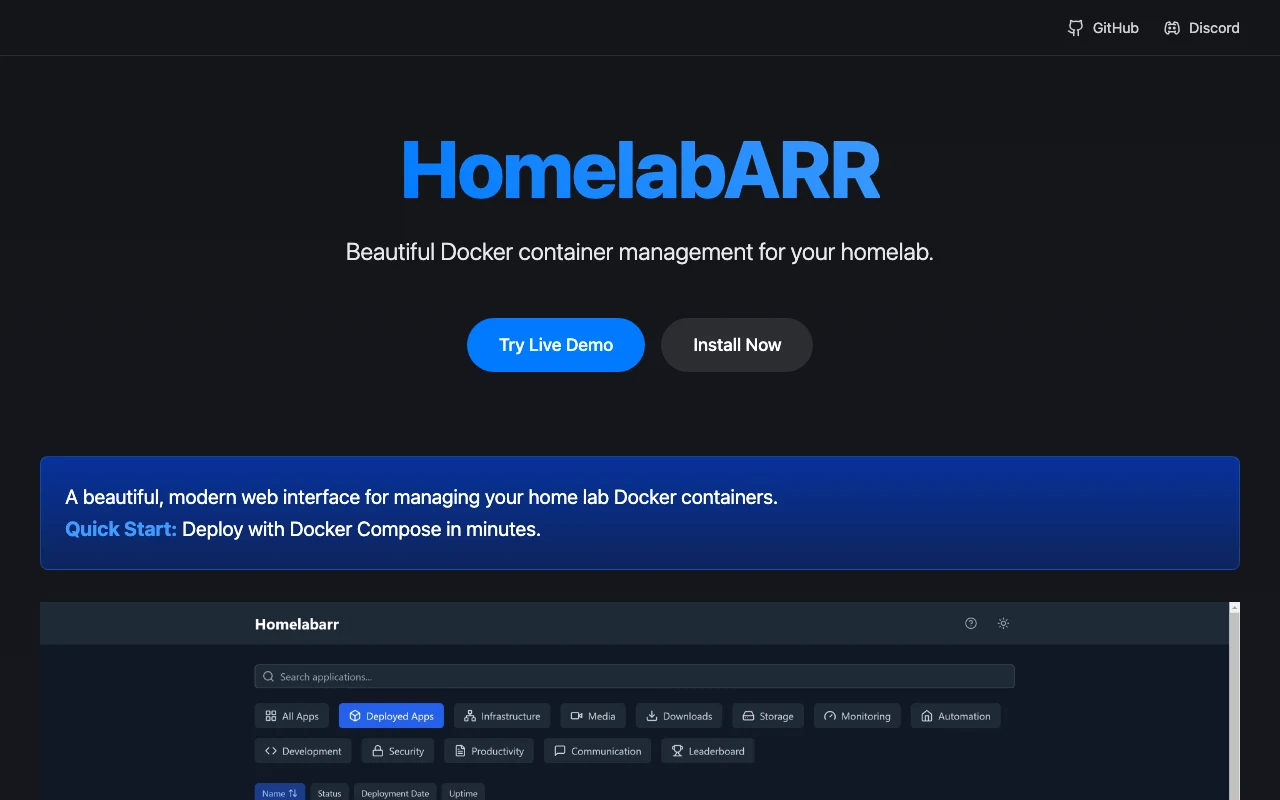
HomelabARR ships in tiers. HomelabARR CE is the free, open-source, MIT-licensed piece: a dashboard that manages your Docker containers. You install three containers, open it on port 8084, and you are looking at 117 apps you can deploy with one click. Plex, Jellyfin, Sonarr, Radarr, Ollama, Home Assistant, qBittorrent, Vaultwarden, Immich. Every one of those is a Docker Compose file living in apps/<category>/, so nothing is hidden. You can read the YAML, edit it, or drop your own into apps/myapps/.
The full NAS operating system is the paid tier (Eight.ly OS, what older posts called HomelabARR PE). That one manages the storage layer too: SnapRAID plus MergerFS for the mixed-drive pooling, with ZFS available when you want it, alongside the Docker app store, KVM and LXC, and SMB/NFS sharing. So when I compare "HomelabARR" to Unraid and TrueNAS below, the storage story comes from the OS tier and the app story comes from both. I am not going to pretend the free container manager is a full NAS OS. It is not, and saying so would just be lying to sell something.
The app catalog is the real argument
Here is the part I will actually defend. On Unraid and TrueNAS, app deployment leans on plugins, app catalogs, or VMs, and the quality varies a lot depending on who maintained the template. HomelabARR is Docker Compose from top to bottom, and the catalog is curated rather than crowd-dumped.
117 apps, organized into categories, each one a click:
AI & Machine Learning   14   Ollama, Open WebUI, ComfyUI, Stable Diffusion
Media Servers            5   Plex, Jellyfin, Emby
Media Management        15   Sonarr, Radarr, Lidarr, Bazarr, Prowlarr
Downloads               13   qBittorrent, SABnzbd, NZBGet, Deluge
Monitoring               6   Grafana, Netdata, Uptime Kuma, Tautulli
Self-hosted             35   Nextcloud, Vaultwarden, Immich, Home Assistant, n8n
System                  12   Portainer, Dozzle, Watchtower, Traefik
Virtual Desktops        10   Kasm Workspaces, Firefox, Chrome
Transcoding              4   Tdarr, Handbrake, MakeMKV
Backup                   3   Duplicati, Restic
And the deployment isn't just "run the container and hope." There are three deployment modes baked in, and they are real branches in the deploy code, not a slide:
- Standard drops the app on plain
IP:port. Fastest path, nothing fancy. - Traefik wires the app behind a reverse proxy with SSL.
- Authelia adds Traefik plus 2FA in front of the app.
You pick the mode at deploy time and the backend builds the right environment for it. That choice, made per app, is the thing I never found cleanly in the alternatives.
A fair head-to-head
I am going to keep this honest, including where the others win.
Data protection. TrueNAS wins outright if integrity is your top priority. ZFS checksumming catches bit rot that other filesystems silently pass through. Unraid's parity protects mixed-size arrays well and is simpler to grow. HomelabARR's OS tier uses SnapRAID plus MergerFS, which gives you the mixed-drive flexibility with parity protection and lets you add disks one at a time, with ZFS on the menu if you want the TrueNAS-style guarantees. Different trade-off, not a strict upgrade.
Application management. This is where I think HomelabARR is clearly ahead for a homelab. One curated Docker Compose catalog, one-click deploy, three proxy/auth modes, and you can read every template. Unraid and TrueNAS can absolutely run these same apps, but the path is bumpier and the template quality is less consistent.
Ease of use. Unraid is generally considered friendlier than TrueNAS, and that reputation is earned. HomelabARR aims to beat both if you already think in Docker. If you do not, Unraid's polish is hard to argue with.
Cost. TrueNAS is free. Unraid is a one-time license. HomelabARR CE is free and MIT-licensed; the full NAS OS is paid. So you can run the container half for nothing forever, and only pay if you want the OS to own the storage layer too.
Who should pick what
- TrueNAS if maximum integrity is the whole point, you are comfortable with ZFS, and you will accept a steeper curve on the app side.
- Unraid if you want mixed-size drives, a mature community, and a polished UI, and your workload is mostly media. It is a genuinely good product. I built an alternative, not a replacement for everyone.
- HomelabARR if you live in Docker, want a curated one-click catalog with proper reverse-proxy and 2FA options, and want the OS to handle pooling without making you plan vdevs first. Start with the free CE dashboard; you lose nothing by trying it.
For what it is worth, the HomelabARR Unraid Community Apps plugins have pulled roughly 21,000 combined downloads over the last fifteen-plus months, so this is a thing real people actually use. I would rather you try the live demo and the free CE dashboard than take my word for any of it.
The best platform really does depend on your priorities. If yours lean toward running services more than archiving files, give HomelabARR a serious look.