September 28, 2025
How to build a complete media server with Docker in 30 minutes
Plex, Sonarr, Radarr and the rest of the stack, deployed one container at a time from real HomelabARR templates, with the per-mode compose rewrite shown in full.
The problem with every other guide
I have been running media servers since the Plex beta days, back when you installed Plex on bare metal, pointed it at a folder, and hoped the drive held. The stack got much better. Sonarr handles TV, Radarr handles movies, Prowlarr feeds indexers to both, Tautulli watches the watching. The setup guides did not keep up.
Most of the tutorials I find are forty-some steps of manual config. Create the users, set permissions on a dozen folders, edit YAML by hand, then spend an hour working out why Sonarr cannot reach the download client. By Sunday night you have a server and zero movies watched.
Docker Compose is the part that actually changed
The honest fix is docker compose. One file per service that pins the image, the volumes, the network, the labels. docker compose up -d and the container is running. No bare-metal install, no dependency conflicts.
The piece I want to be precise about, because the old version of this post was not, is what "the stack" means. There is no single magic compose file that wires Plex, Sonarr and Radarr to each other for you. Each app is its own compose template. They talk to each other because they share a Docker network and resolve by container name, and because you point them at the same media path. The wiring is real, but it is per-app, and you still finish each app's first-run wizard yourself.
What you need before starting
Any Linux box with Docker. An old laptop, a Proxmox VM, an Unraid server, a Pi if you are patient. Mine runs on a Proxmox LXC with 4 cores and 8GB, which handles transcoding fine for a small household.
Storage is wherever you want it. The templates bind-mount your media into the container, so the path follows your disks. Do not overthink it. You can move it later.
The templates, not the marketing
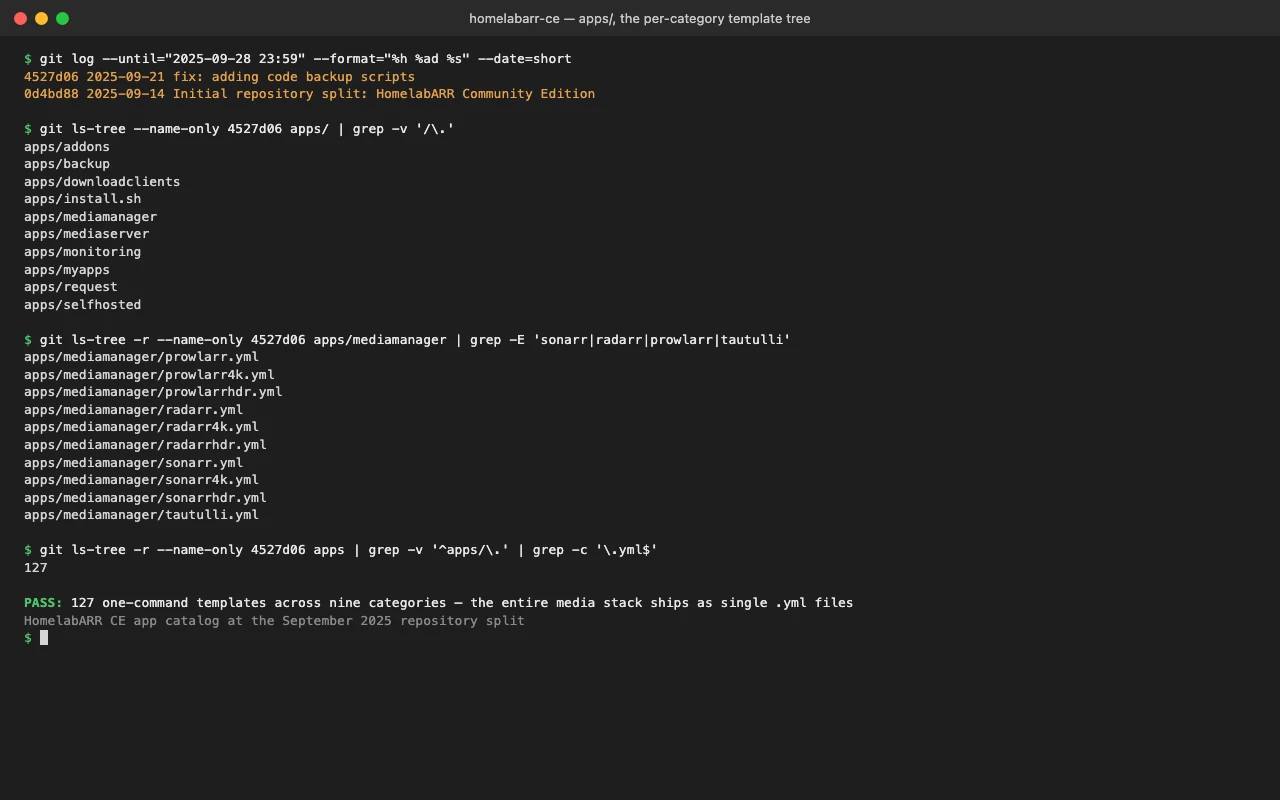
I did this by hand enough times that I built HomelabARR to do it from a web UI. The accurate description is the one in its own README: you open the dashboard, you see the app catalog, you click Deploy on the one you want, and it runs. One click per app, not one click for the whole stack. The catalog is 117 apps across categories like media servers, download clients, and monitoring.
Each app is a plain Docker Compose YAML in apps/<category>/. You can read it, edit it, or write your own. Here is the actual Plex template, unedited, from apps/media-servers/plex.yml:
services:
  plex:
    hostname: "plex"
    container_name: "plex"
    environment:
      - "PGID=${ID}"
      - "PUID=${ID}"
      - "TZ=${TZ}"
      - "PLEX_CLAIM=PLEX_CLAIM_ID"
      - "ADVERTISE_IP=http://plex.${DOMAIN}:443"
      - "DOCKER_MODS=ghcr.io/themepark-dev/theme.park:plex|ghcr.io/imogenlabs/homelabarr-mod-healthcheck:v1.0.0"
    image: "${PLEXIMAGE}"
    restart: "${RESTARTAPP}"
    healthcheck:
      test: ["CMD", "curl", "-f", "http://localhost:32400/identity"]
      interval: 30s
    deploy:
      resources:
        limits:
          memory: 4G
    extra_hosts:
      - "analytics.plex.tv:127.0.0.1"
      - "metrics.plex.tv:127.0.0.1"
    ports:
      - "32400:32400/tcp"
    volumes:
      - "${APPFOLDER}/plex/database:/config:rw"
      - "unionfs:/mnt:ro"
      - "/dev/shm:/ram_transcode:rw"
    labels:
      - "traefik.enable=true"
      - "traefik.http.routers.plex-rtr.rule=Host(`plex.${DOMAIN}`)"
      - "traefik.http.routers.plex-rtr.middlewares=chain-authelia@file"
A few things in there are load-bearing and worth pointing out. The ${PLEXIMAGE} and ${RESTARTAPP} variables resolve from a default map in the backend, so an out-of-the-box deploy still pins lscr.io/linuxserver/plex:latest and unless-stopped without you setting anything. The extra_hosts lines blackhole Plex's analytics endpoints to localhost. The /dev/shm:/ram_transcode mount transcodes in RAM. Sonarr is the same shape (apps/media-management/sonarr.yml): same PUID/PGID/TZ, a :8989/ping healthcheck, and a unionfs:/mnt mount so it sees the same media tree Plex does.
Three modes, and what they actually do to the file
The reason those Traefik labels are in the template is that HomelabARR has three deployment modes, defined in server/routes/deployments.js:
modes: [
  { type: 'standard',  name: 'Standard',
    description: 'Basic Docker deployment without reverse proxy' },
  { type: 'traefik',   name: 'Traefik',
    description: 'Deployment with Traefik reverse proxy and SSL' },
  { type: 'authelia',  name: 'Traefik + Authelia',
    description: 'Full production deployment with authentication' },
]
Plain IP:port, Traefik for SSL and a domain, or Traefik plus Authelia for 2FA. The interesting part is that the mode is not just a flag. The same template gets rewritten at deploy time. In standard mode the backend parses the YAML, drops the external proxy network, and strips the traefik.* and dockupdater.* labels so the container just exposes its port. From server/cli-bridge.js:
async deployStandard(appPath, config, deployEnv = this._deployEnv) {
  const content = fs.readFileSync(appPath, 'utf8');
  const doc = yaml.parse(content);

  // drop external network declarations
  if (doc.networks) {
    for (const netName of Object.keys(doc.networks)) {
      const netConfig = doc.networks[netName];
      if (netConfig && typeof netConfig === 'object' && netConfig.external) {
        delete doc.networks[netName];
      }
    }
  }

  for (const svcName of Object.keys(doc.services)) {
    const svc = doc.services[svcName];
    delete svc.networks;
    svc.security_opt = ['no-new-privileges:true'];
    if (Array.isArray(svc.labels)) {
      svc.labels = svc.labels.filter(l => {
        const key = l.split('=')[0].trim();
        return !key.startsWith('traefik.') && !key.startsWith('dockupdater.');
      });
    }
  }
  // ...write to a tmp file, docker compose up -d with DOCKERNETWORK: 'bridge'
}
One detail I am glad ended up in code review: the rewrite does not drop security_opt, it replaces it with no-new-privileges:true. Standard mode must not quietly un-harden a container just because it is skipping the reverse proxy. The label filter matches on the key prefix, not a substring, so a benign label whose value happens to contain the word "traefik" survives.
So one template, written once with the production labels, deploys three different ways. That is the trick that lets the same Plex file serve someone running bare IP:port on a laptop and someone running SSL plus 2FA on a real domain.
Post-deploy: the order I configure things in
Containers running is not a media server. Here is the order, and roughly where the time goes.
Plex first. Sign in, point it at your media folders, let it scan, enable hardware transcoding if your CPU has Quick Sync or NVENC. Most of this is waiting for the library scan.
Prowlarr next. Add your indexers here once. Every indexer you configure syncs out to Sonarr and Radarr, so you never add them three times.
Sonarr and Radarr after that. Point them at your download client, set a quality profile, add root folders. The default profiles are fine. Do not spend forty-five minutes on custom formats on day one. You can fight about DTS-HD MA versus TrueHD Atmos later.
Tautulli last. Point it at Plex and walk away. Come back in a week to see who has been watching what.
A request frontend like Overseerr is the obvious next addition, and HomelabARR even keeps a default image mapping for it, but I want to be straight: there is no shipped Overseerr template in the catalog today. If you want it in this stack right now, you write the YAML yourself in apps/myapps/ the same way the others are written. That is the honest state of it, not a one-click I can point you at.
Why this beats a NAS app store
Synology, QNAP and Unraid all have their own app stores, and they all work, and they all tie you to that platform. A folder of Compose templates does not. Every app is a file you can read and a file you can move. Migrating a server is rsync the media, copy the templates and the app config volumes, docker compose up -d. I have moved this stack between boxes and had it come back exactly as it was, which is not a thing I could say about a NAS-specific store.
The thirty minutes is real, but be clear about where it goes. The containers come up fast. The wizards, the indexers, the quality profiles, that is the rest of it.