September 8, 2025
Why I built HomelabARR PE around MergerFS and SnapRAID
Why I chose MergerFS and SnapRAID over ZFS, Btrfs, and bcachefs for the storage engine, and the real Go code that runs it.
I spent weeks staring at storage architecture before I wrote a line of Go for the storage engine. ZFS. Btrfs. The new stuff coming out of HexOS. And every time I came back to MergerFS and SnapRAID.
The problem I was actually solving
Most people building home NAS software start with the filesystem and work backward from there. I started somewhere else: the person who buys the drives.
That person does not buy eight identical drives on launch day. They buy a 4TB drive when it is on sale. A couple years later, a 6TB. Maybe an 8TB after that. They have old drives sitting in a desktop they want to repurpose. Storage grows in whatever increments the budget allows, not in planned, matched sets.
Every enterprise storage solution optimizes for "buy everything at once, same size, same model." That is the right call in a data center. It is the wrong call for a person with a homelab and a credit card limit.
Why ZFS didn't work
ZFS is brilliant engineering, and I am not going to pretend otherwise. But for mixed drives it wastes capacity by design. Put a 4TB and an 8TB drive in the same VDEV and you lose 4TB. The VDEV can only use as much of each drive as the smallest member, so the 8TB drive runs at half.
People have been complaining about this for years. HexOS is funding a separate firm, Klara Inc., to build ZFS AnyRaid specifically to fix it. They presented it at the OpenZFS Developer Summit, so it is real work, but it is not in users' hands yet, and it lands on TrueNAS SCALE, which ties you to iXsystems' roadmap. I was not going to build around a limitation I was hoping someone else would remove.
Why Btrfs didn't work
Btrfs does support mixed drive sizes, and it ships in every major distro, so on paper it was the answer.
But Btrfs RAID5 and RAID6 carry a years-long reputation for eating data, to the point that the Btrfs wiki itself warned against using them in production for a long time. The situation has improved. Community trust has not fully caught up. When you are asking someone to put twenty years of photos on your software, "probably fine now" is not a sentence I am willing to ship.
Why bcachefs didn't work
bcachefs is the exciting new one: merged into kernel 6.7, built to compete with ZFS and Btrfs, mixed drives native, which in theory was exactly what I wanted.
In practice, Linus Torvalds has publicly said he regrets merging it, no major distribution ships it, and the maintainer keeps sending thousand-line "fixes" mid-cycle that are really new development. I am not building for users who want to live on that edge.
What I found instead
Alex Kretzschmar runs Perfect Media Server, where he documents a simple, proven setup: MergerFS pools drives into one mount, SnapRAID provides parity. Both are open source, both have been running in homelabs for years. The engine I built is a Go implementation of his architecture with a web UI on top, and full credit goes to PMS as the source.
The insight I kept from his work is the atomic move. When your download client finishes a file and your media library imports it, that move has to stay on one filesystem. If it crosses a filesystem boundary, it is a multi-gigabyte copy instead of a near-instant rename. MergerFS keeps each file whole on a single underlying disk while presenting the pool as one mount, so the rename stays local.
And the part that actually matters at 3am: if SnapRAID itself dies, your files are still there. Each file lives intact on one physical disk. RAID5 stripes data across every disk, so when the array goes, everything goes. Under MergerFS, a lost disk costs you the files on that one disk, not the pool.
The config the engine actually uses
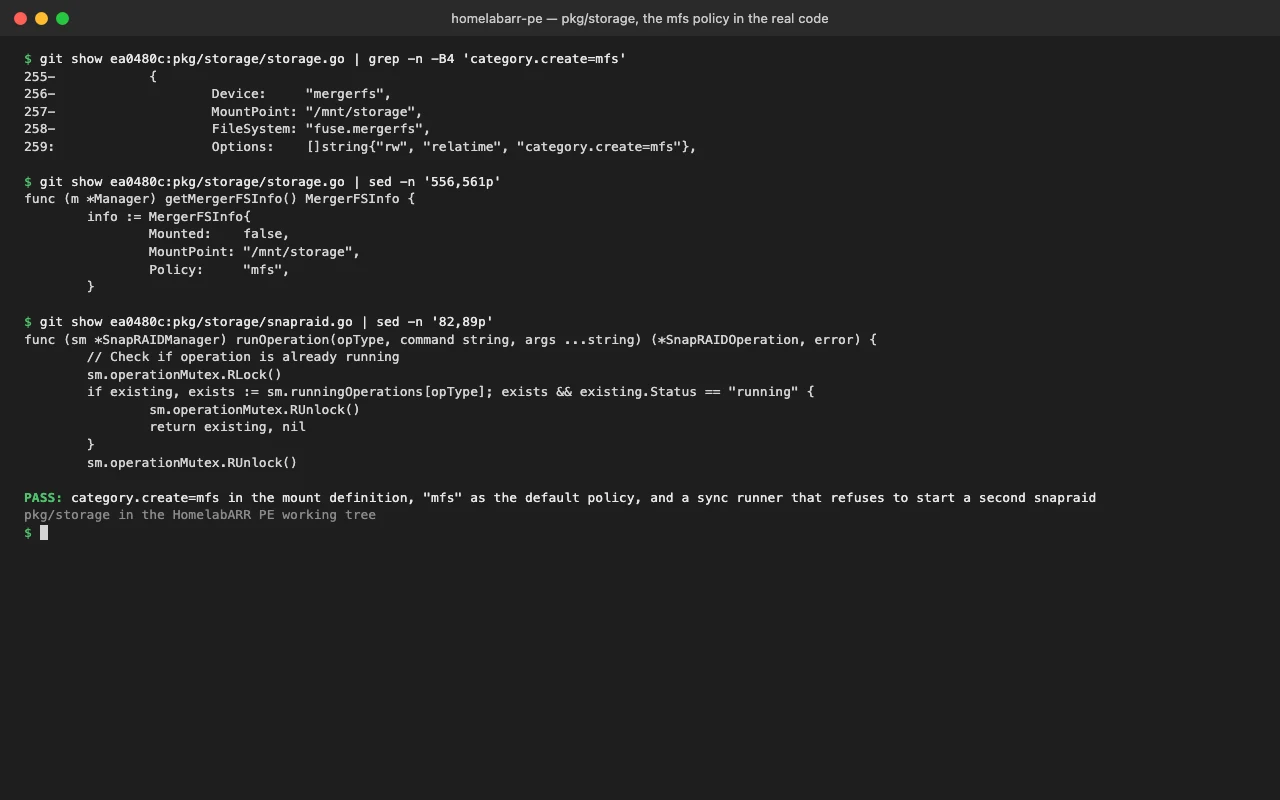
The MergerFS create policy is category.create=mfs, "most free space." New files land on whichever branch has the most room, so writes spread across the array as drives fill. It is the PMS default. Here is the real mount definition the engine reports, from pkg/storage/storage.go:
{
    Device:     "mergerfs",
    MountPoint: "/mnt/storage",
    FileSystem: "fuse.mergerfs",
    Options:    []string{"rw", "relatime", "category.create=mfs"},
},
That /mnt root carries weight. It is the hard convention the whole stack assumes. The 26 media templates that need pool storage bind-mount ${POOL_ROOT:-/mnt}, and the installer falls back to the same path when the env var is unset:
poolRoot := os.Getenv("POOL_ROOT")
if poolRoot == "" {
    poolRoot = "/mnt"
}
Reading the live policy back out is the same string, parsed off the mount options rather than guessed:
// pkg/storage/storage.go, getMergerFSInfo
for _, opt := range mount.Options {
    if strings.HasPrefix(opt, "category.create=") {
        info.Policy = strings.TrimPrefix(opt, "category.create=")
    }
}
SnapRAID, the parts that bite
SnapRAID parity sync is a long, single-threaded job that reads every disk. Two things will hurt you if you get them wrong: starting a second sync while one is already running, and reading operation state while the background job is still writing it.
The sync runner is single-flight per operation type. If a sync is already running and another request comes in, you get the existing operation back instead of a second snapraid process fighting the first one over the same disks. From pkg/api/storage/handlers.go:
func runSnapraid(opType string, args ...string) (*snapraidOp, error) {
    snapraidMu.Lock()
    if existing, ok := snapraidOps[opType]; ok && existing.Status == "running" {
        snapraidMu.Unlock()
        return existing, nil
    }
    op := &snapraidOp{Type: opType, Status: "running", StartedAt: time.Now()}
    snapraidOps[opType] = op
    snapraidMu.Unlock()

    go func() {
        cmd := snapraidCommand(args...)
        // ... stream stdout/stderr to the log, then record status under the lock
    }()
    return op, nil
}
The second bite is subtler. The background goroutine mutates the op's Status, Output, Error, ExitCode, and FinishedAt while it runs, all under snapraidMu. A status handler that reads the live op while encoding JSON races that writer. The fix is to hand callers a copy taken under the same lock, never the live pointer:
// snapshotSnapraidOp returns a copy of the named op taken under snapraidMu.
// Callers must encode the snapshot, not the live op: the background goroutine
// mutates op fields under the lock, so reading the live op during JSON encoding
// is a data race.
func snapshotSnapraidOp(opType string) *snapraidOp {
    snapraidMu.Lock()
    defer snapraidMu.Unlock()
    op, ok := snapraidOps[opType]
    if !ok {
        return nil
    }
    cp := *op
    return &cp
}
The lesson I keep relearning: a mutex on the write side does nothing if the read side reaches around it.
The cache mover, and the hardlink trap
Drive roles sort themselves: NVMe to cache, HDD to the array. New writes hit the fast cache tier, and a background mover migrates aged files down to the array on a schedule. The naive version of that mover is a find plus an rsync. The version that does not corrupt your library has to know about hardlinks.
The arr stack seeds torrents by hardlinking the imported file back into the download directory, so the same bytes live under two paths on one filesystem. Move that file across a filesystem boundary and the hardlink breaks: now you have two full copies, the seed re-copies gigabytes, and the disk fills. So the mover skips any file with more than one link:
// internal/storage/mover.go
// Skip files with hardlinks — arr stack uses them for seeding.
// Moving a hardlinked file across filesystems breaks the link
// and causes re-copy instead of seeding.
if stat, ok := info.Sys().(*syscall.Stat_t); ok && stat.Nlink > 1 {
    return nil
}
This is the kind of detail you only get from running the stack you are building software for. Nobody asks for "respect Nlink > 1" in a feature request. You learn it the day your array fills up and you go find out why.
The honest tradeoffs
I am not going to sell you MergerFS plus SnapRAID as strictly better than ZFS, because it is not. ZFS gives you live, block-level redundancy, checksummed self-healing, snapshots, and send/receive. SnapRAID parity is a point-in-time snapshot of parity. Files written since the last sync are not protected until the next sync runs, and a scrub catches bit rot on a schedule rather than on every read. If you need synchronous redundancy and continuous integrity, ZFS is the right tool and you should buy matched drives and use it.
What this stack buys instead is mismatched-drive freedom, per-disk failure isolation, the ability to add a drive of any size next month, and files that stay readable on a plain Linux box even if every piece of my software is gone. For the person I am building for, that trade is worth it. For a data center, it is not. Pick the one that matches who is actually holding the drives.